LiteManager Pro/Free
Published by The Elements Of Life on
BLACKWOT › Forums › Sales, Feedback and Information › Admins room › LiteManager Pro/Free
- This topic has 0 replies, 1 voice, and was last updated 6 years, 12 months ago by The Elements Of Life.
-
AuthorPosts
-
07.09.2019 at 02:35 #115405The Elements Of LifeParticipant
Remote access software, free remote desktop software, remote administration Windows
 LiteManager Pro/Free — remote access software for remote administration of computers over the Internet or remote control in a local network, for distant learning, providing remote support to users and supervising work activity of employees.
The program allows to quickly and easily control computer desktop in real-time mode with full support for Windows, provides secure remote access to the file system, processes and services of the remote computer. LiteManager has built-in tools for creating network map, collecting technical data, ability to deploy and update using remote installation services, configure private ID router (NOIP) and many other features. Classroom management software.
Remote administration is now possible without IP address. Using Connect by ID mode, you can choose your personal unique ID by yourself and connect by it. Client and server modules of the program can work in networks connected to the Internet via a proxy server. LiteManager remote access software, remote administration.
 Download (for Windows, build 4930)
 LiteManager.apk / Google play (Android)
 LiteManager.app / LiteManager.pkg / App store (Mac OS)
 App store (iOS, iPhone, iPad)
 Wine (emulator for Linux, Mac OS)
Only one time fee and all updates are free, lifetime license and technicians unlimited. More information on buying LiteManager…
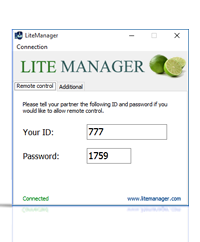
Free version of remote desktop software that includes key features and allows you to control up to 30 computers simultaneously free of charge! and more computers if you have a license key. Remote desktop without limits on session time and speed.
This version is available free of charge for both individuals and legal entities.
You can use the program to provide technical support for users. The ability to configure your own connection by ID server (NoIP) ensures completely autonomous and independent operation, and as a result, the operation of the whole technical support service.
Main features of the Free version and its key differences from the Pro version are shown in the table LiteManager Free remote desktop software, remote control.
LiteManager QuickSupport optimized for instant support does not require installation or administrator rights — simply download and run it.
 ROMServer.exe (Server without installation) (for remote user)
 ROMViewer.exe (Viewer without installation) (for administrator)
 ROMServer.exe (without administrator’s rights) (for remote user)
LiteManager portable generally comprises all the features of the full version without the need to install anything, portable runs directly from a USB stick. More about portable version.
Advantages of our product: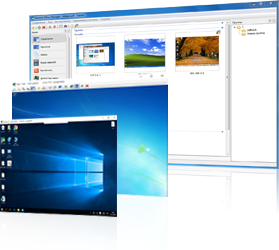
-
You can control and view the desktop of a remote computer. Remote Desktop control.
-
File manager for working with files and folders.
-
Remote task manager
-
Power management
-
Text chat and audio and video chat
-
Telnet control of computer via command line.
-
Device manager and inventory.
-
Screen recorder.
-
Network map.
-
Connecting a server with a dynamic IP address and cascade connection functionality that allows to work in complex networks.
-
Remote installation and update.
-
Server search.
-
Registry editor.
-
Connect by ID and NoIP application.
The full list of LiteManager features and screenshots are provided below.
 QuickSupport optimized for instant support.
 Connect by ID. How to establish a connection by ID.
 Overview of solutions for corporate and home users.
 OnLine program help is now available on the website.
 Answers to questions official FAQ.
 Knowledge base for LiteManager.
Reliable remote desktop software for unattended access.
Get secure remote access to network computers and servers. Employee monitoring feature allow managers to watch over users activity while employees are left alone.
Provide instant tech remote support.
Provide remote technical support for individual or commercial users via LiteManager, 24/7 help desk support for daily computer issues.
Classroom management software.
Effective software to help teacher and students in daily classes. LiteManager demonstration — share your screens and display your presentations on student computers.
-
You can control and view the desktop of a remote computer. Remote Desktop control.
-
AuthorPosts
- You must be logged in to reply to this topic.