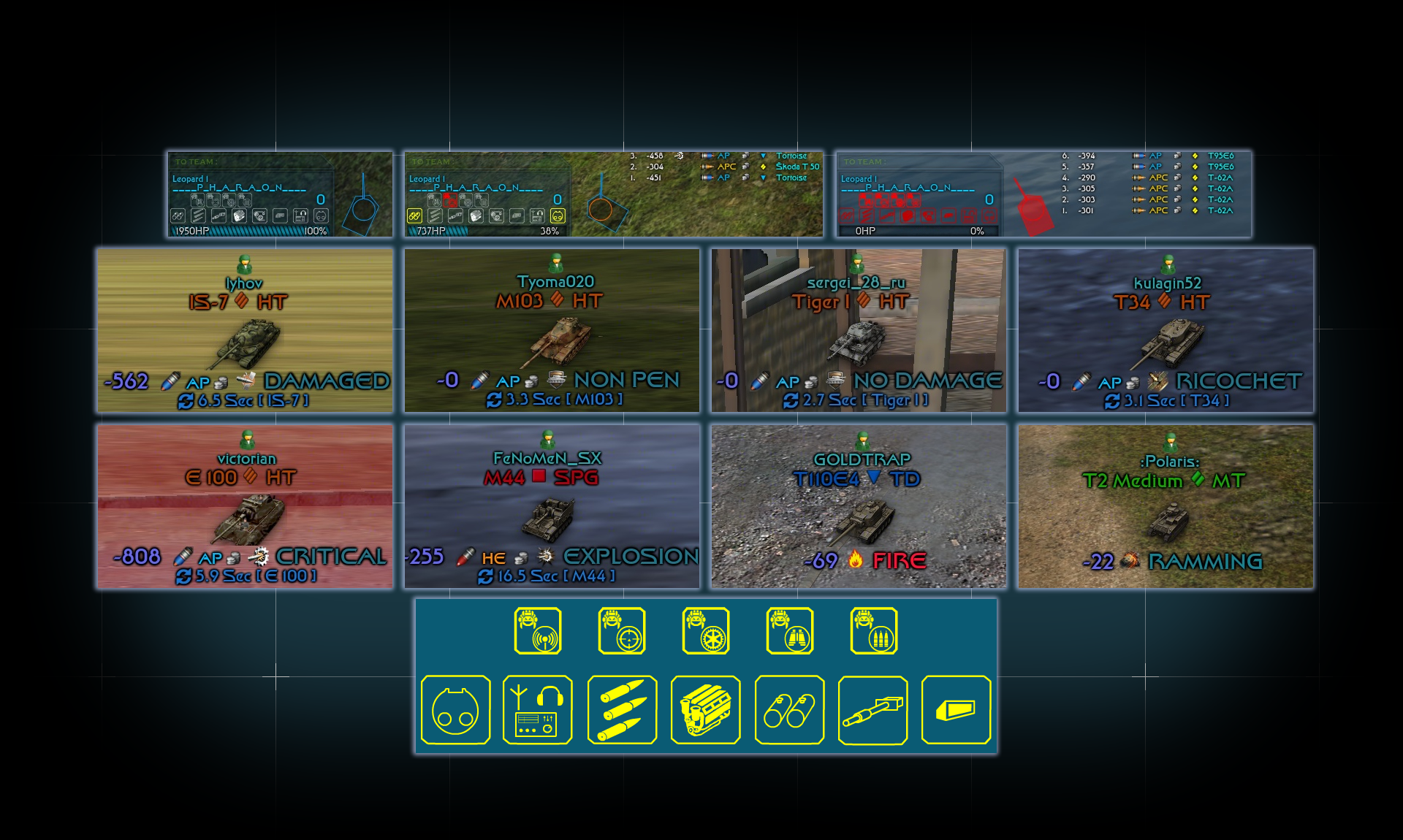
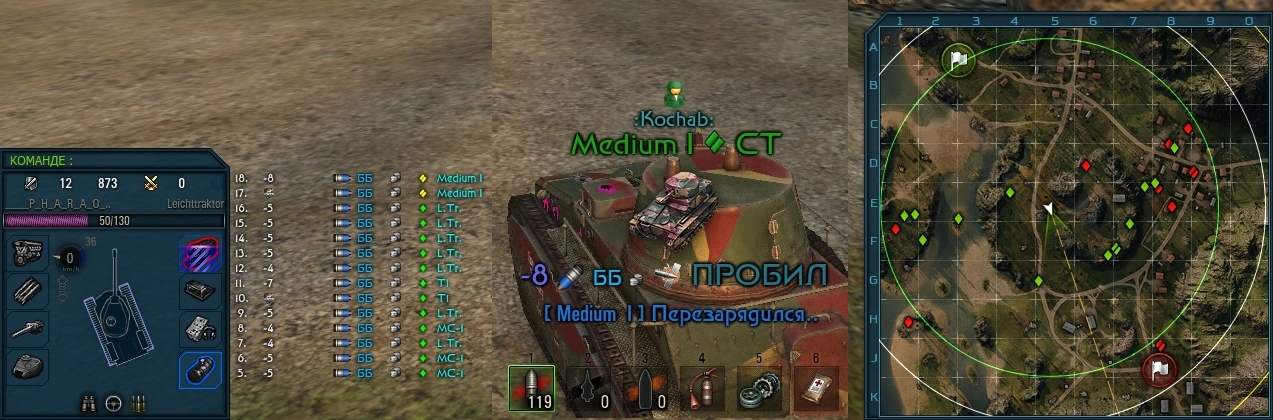
DAMAGE PANEL
Published by ____P_H_A_R_A_O_N____ on
BLACKWOT › Forums › Stats & Other Mods for World of Tanks › Pharaon Mods › DAMAGE PANEL
- This topic has 33 replies, 8 voices, and was last updated 4 years, 6 months ago by lacoste86.
-
AuthorPosts
-
07.05.2016 at 21:22 #109830____P_H_A_R_A_O_N____Member04.09.2016 at 09:35 #109831____P_H_A_R_A_O_N____Member16.09.2016 at 09:59 #109832____P_H_A_R_A_O_N____Member
UPDATE 0.9.15.2
16.09.2016 at 11:07 #109833Jack The RipperParticipantIs this only in Russian language ?
16.09.2016 at 13:16 #109834soulzaParticipantwill not work in 15.2 as it uses damagepanel mod so no sounds
16.09.2016 at 13:23 #109835SailorMemberLove the Star Trek font.
 16.09.2016 at 14:55 #109836soulzaParticipant
this is now working :):) nice one m8
16.09.2016 at 21:12 #109837____P_H_A_R_A_O_N____Membersounds UPDATE
19.09.2016 at 12:50 #109838____P_H_A_R_A_O_N____Member16.10.2016 at 06:52 #109839____P_H_A_R_A_O_N____MemberUPDATE 0.9.17.0.1
11.06.2017 at 05:01 #10984011.06.2017 at 11:53 #109841BobCMemberSo!!! Here is what I have and I thinkthat the conflict is with Soulzas damage panel/scores as the new damage panel has installed. How to fix so I have the new scores?? hmmmm……….
I have installed the config file for the Mod to the correct location so does anyone have any ideas?

 11.06.2017 at 12:30 #109842soulzaParticipant
these are totally different mods , the danage logs i am using are from battle observer ,this panel is the damagepanel mod
11.06.2017 at 13:02 #109843BobCMemberSo how do I remove it? The Mod has always been lop sided and now I need one that lines up if possible.
Your ones look really good and I will keep them if I can work out how to fix it.
OK, so I have levelled up both figures : armagomendamage_log line27 to give me X-235 y-905. But the 2 rectangular boxes are still there.
11.06.2017 at 14:25 #109844soulzaParticipantthe boxes above the hitlog are enabled with res_mods/configs/xvm/soulzaskehoblue/battlelabelstemplates.xc
this bit of code from line 31:-
“hitlogHeader”: {
“enabled”: true,
“updateEvent”: “ON_DAMAGE_CAUSED, ON_PANEL_MODE_CHANGED”,
“x”: 235,
“y”: 915,
“width”: 500,
“height”: 1000,
“textFormat”: { “color”: “0xF4EFE8”, “size”: 15 },
//”format”: “{{hitlog-header}}”
// Format of the full hitlog (header and body)
// Формат полного хит-лога (шапка и тело)
“format”: “{{hitlog-header}}”
},Its slightly confusing as there is no hitlogheader.xc file which there should be according to the code above,
what the code does is use hitlog.xc and looks for for the header within that file,
line20-21 :-
“defaultHeader”: “<img src=’cfg://soulzaskehoblue/keho/hitlogline1.png’width=’485′ height=’230′ align=’baseline’ vspace=’-50′>”,
“formatHeader”: “<img src=’cfg://soulzaskehoblue/keho/hitlogline1.png’width=’485′ height=’230′ align=’baseline’ vspace=’-50′>”,
this is the code that calls the box images and places them where they are on the screen ,but these are just the empty boxes you need now to look in mods/configs/damage_log and open both blocked.cfg and damaged.cfg.
these are the running totals that are displayed within the boxes for damage dealt and blocked damage , so if you raised the boxes say 100 pixels you would also need to raise both blocked and damaged 100 pixels and then go to battle observer and raise the logs 100 pixels ,if you move one you need to move them all.
-
AuthorPosts
- You must be logged in to reply to this topic.