BW Forum GDPR Compliance
Published by The Elements Of Life on
BLACKWOT › Forums › Sales, Feedback and Information › Peer to Peer Technical Support › BW Forum GDPR Compliance
- This topic has 5 replies, 3 voices, and was last updated 8 years, 2 months ago by BobC.
-
AuthorPosts
-
05.06.2018 at 21:42 #114581The Elements Of LifeParticipant
BlackWot Forum integrated GDPR Compliance

About This File
GDPR Compliance by @Fosters provides a suite of tools to help manage the collection and processing of personal information. This can help communities take stronger action than normal Invision Community protocol to ensure higher safeguards of user data.
Current Featureset:
- Remove all IP addresses which aren’t automatically removed by the default IPS prune IP address task.
What is GDPR?
The General Data Protection Regulation (GDPR) is a legal framework that sets guidelines for the collection and processing of personal information of individuals within the European Union (EU). The GDPR sets out the principles for data management and the rights of the individual. GDPR covers all organizations that deal with data of EU citizens, so it is a critical regulation for online communities and forums with EU citizens. GDPR came into effect on May 25, 2018.
Legal Disclaimer
The legal information and tools provided in the file is provided “as is” without any representations or warranties, express or implied. Fosters does not warrant that:
- the legal information and tools provided in the file will be constantly available, or available at all; or
- the legal information and tools provided in the file is complete, true, accurate, up-to-date, or non-misleading.
You must not rely on the information by this file as an alternative to legal advice from your attorney or other professional legal services provider. If you have any specific questions about any legal matter you should consult your attorney or other professional legal services provider.
09.06.2018 at 18:33 #114582BobCMemberOh goodie my info as safe at last. No more spamming me
 10.06.2018 at 08:49 #114583A_TrollMember14 hours ago, BobC said:
Oh goodie my info as safe at last. No more spamming me
Now we just have to solve the spam FROM you 😁
18.06.2018 at 18:01 #114584The Elements Of LifeParticipantUpdate
Good news! Version 4.3.4 of Invision Community is now available.
- Added a filter to view members that have opt-in for bulk mail in the ACP, and an option to opt-out those members
- Bug fixes
Also included: 4.3.3
-
New features for GDPR compliance:
- New feature for administrators to download an XML file of all personal information held.
- New setting to automatically prune IP address records.
- New option when deleting a member to anonymize content submitted by them.
- New setting to automatically add links to privacy policies of integrated third party services such as Google Analytics or Facebook Pixel to your privacy policy if they are enabled.
- Other minor bug fixes and improvements.
18.06.2018 at 18:03 #114585The Elements Of LifeParticipantGDPR updates for Invision Community 4.3.3
Unless you’ve been living under a rock, or forgot to opt-in to the memo, GDPR is just around the corner.
Last week we wrote a blog answering your questions on becoming GDPR compliant with Invision Community.
We took away a few good points from that discussion and have the following updates coming up for Invision Community 4.3.3 due early next week.
Downloading Personal Data
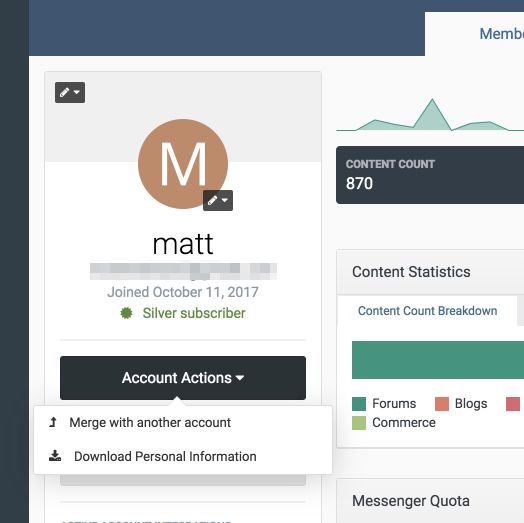
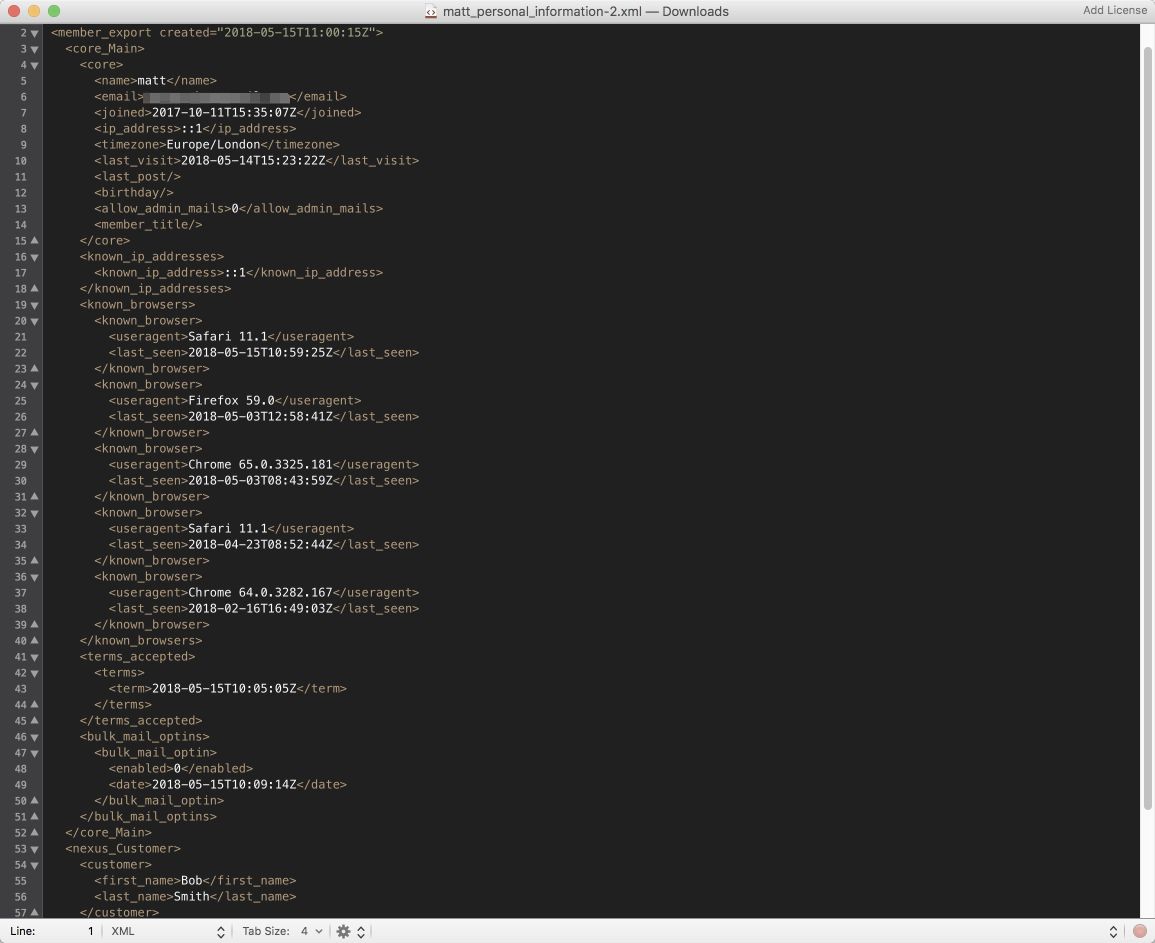
Invision Community already has a method of downloading member data via the member export feature that produces a CSV.However, we wanted Invision Community to be more helpful, so we’ve added a feature that downloads personal data (such as name, email address, known IP addresses, known devices, opt in details and customer data from Nexus if you’re using that) in a handy XML format which is very portable and machine readable.
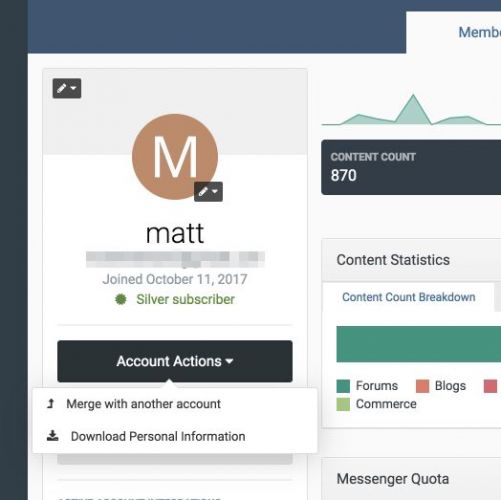
You can access this feature via the ACP member view
The download itself is in a standard XML format.
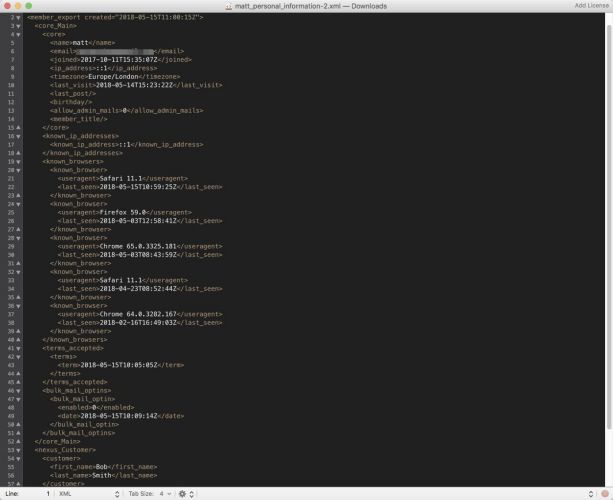
A sample export
Pruning IP Addresses
While there is much debate about whether IP addresses are personal information or not, a good number of our customers requested a way to remove IP addresses from older content.There are legitimate reasons to store IP addresses for purchase transactions (so fraud can be detected), for security logs (to prevent hackers gaining access) and to prevent spammers registering. However, under the bullet point of not storing information for longer than is required, we have added this feature to remove IP addresses from posted content (reviews, comments, posts, personal messages, etc) after a threshold.
The default is ‘Never’, so don’t worry. Post upgrade you won’t see IP addresses removed unless you enter a value.

This new setting is under Posting
Deleting Members
Invision Community has always had a way to delete a member and retain their content under a “Guest” name.
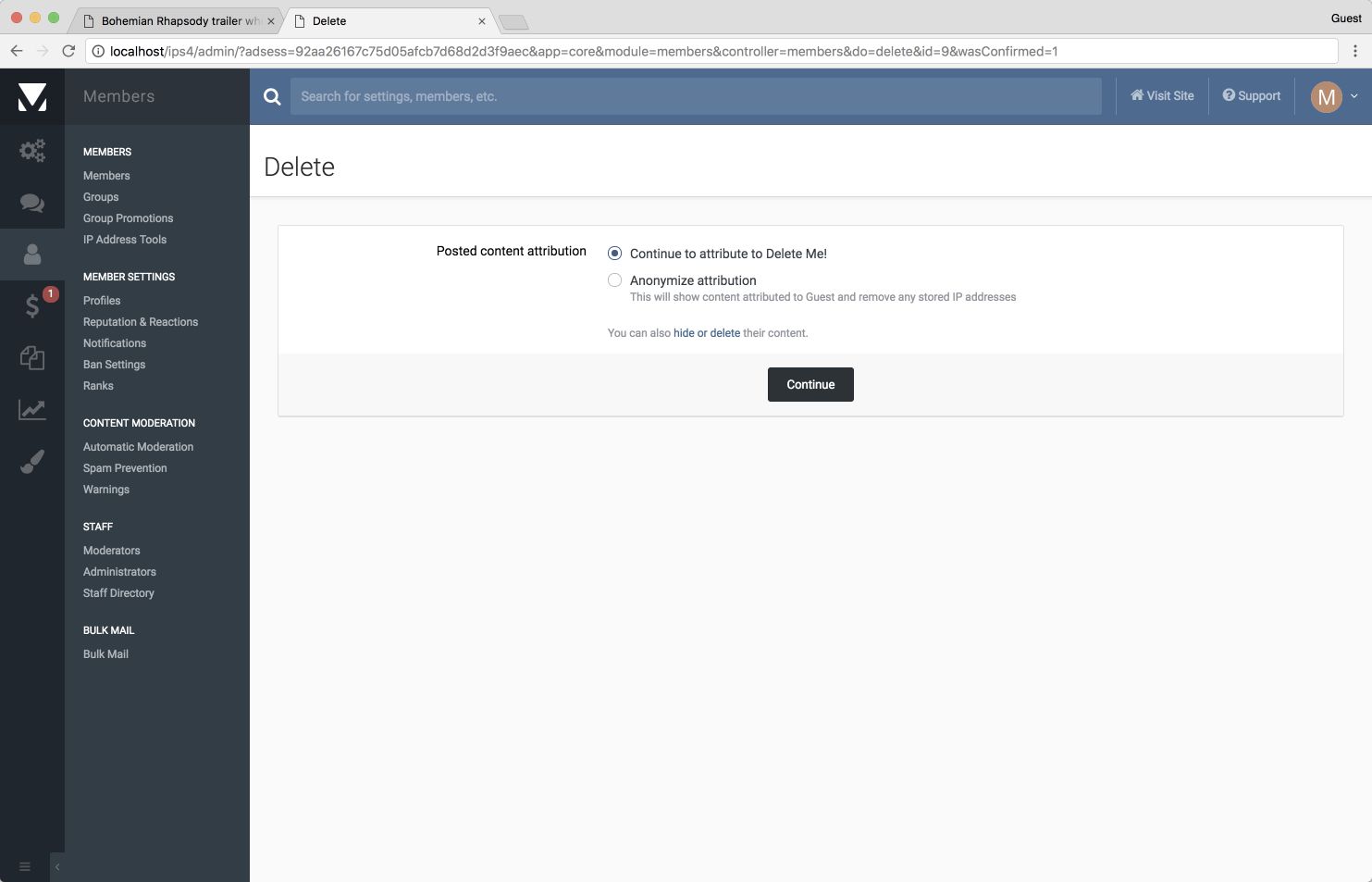
We’ve cleaned this up in 4.3.3. When you delete a member, but want to retain their content, you are offered an option to anonymise this. Choosing this option attributes all posted content to ‘Guest’ and removes any stored IP addresses.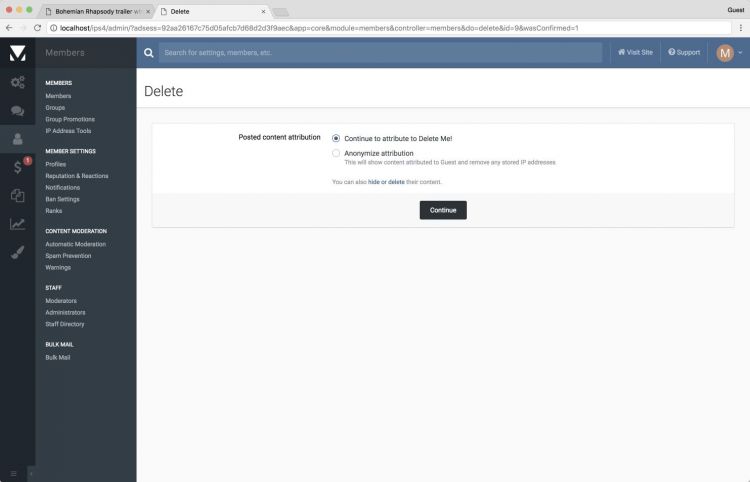
Deleting a member
Privacy Policy
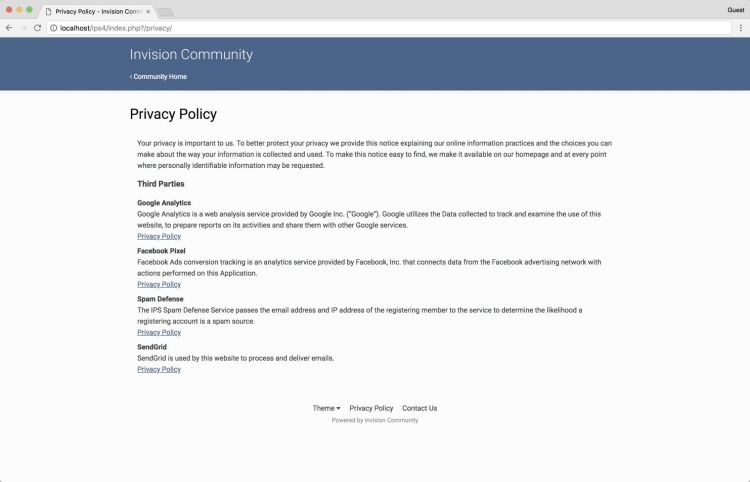
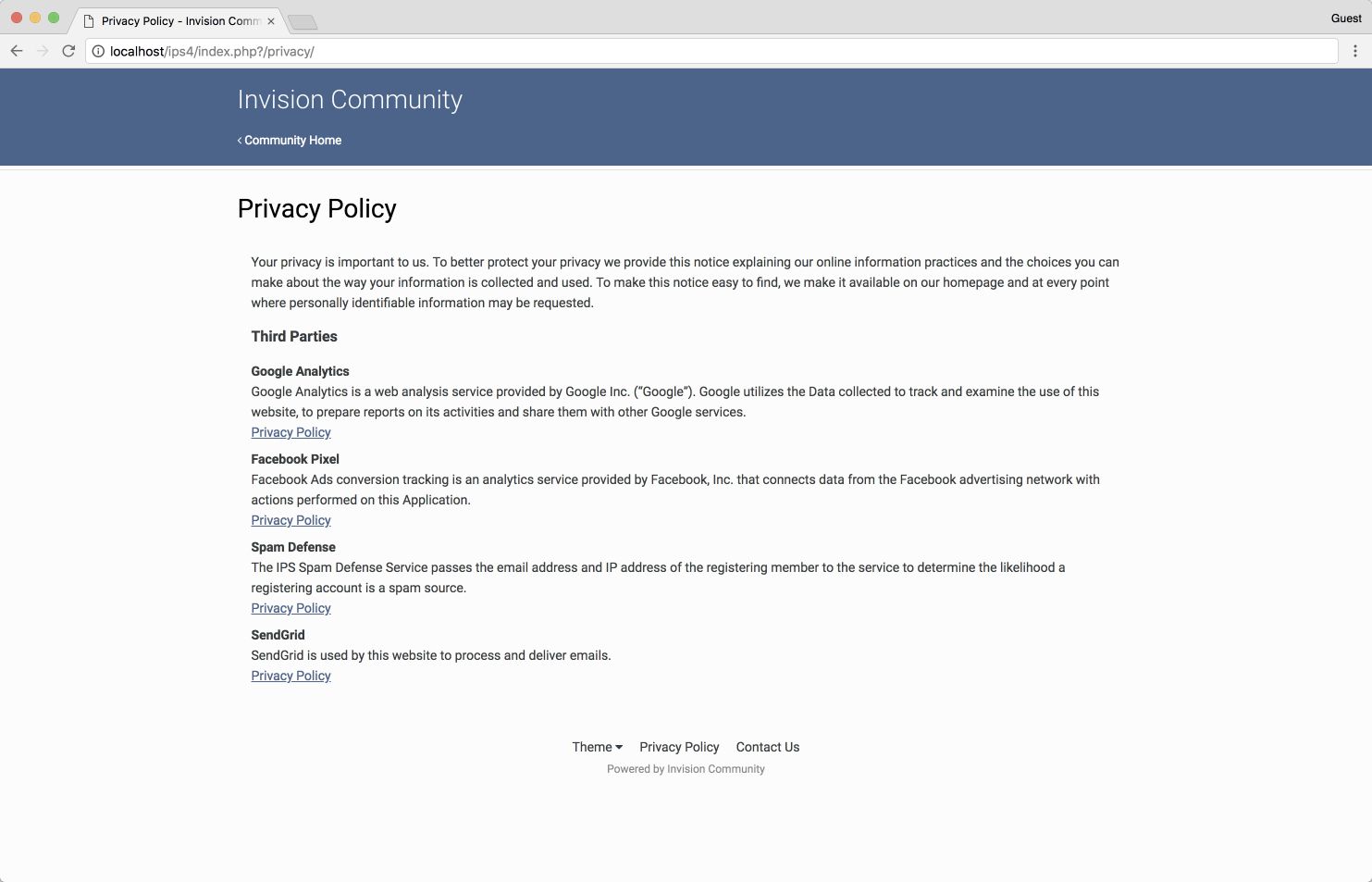
We’ve added a neat little feature to automatically list third parties you use on your privacy policy. If you enable Google Analytics, or Facebook Pixel, etc, these are added for you.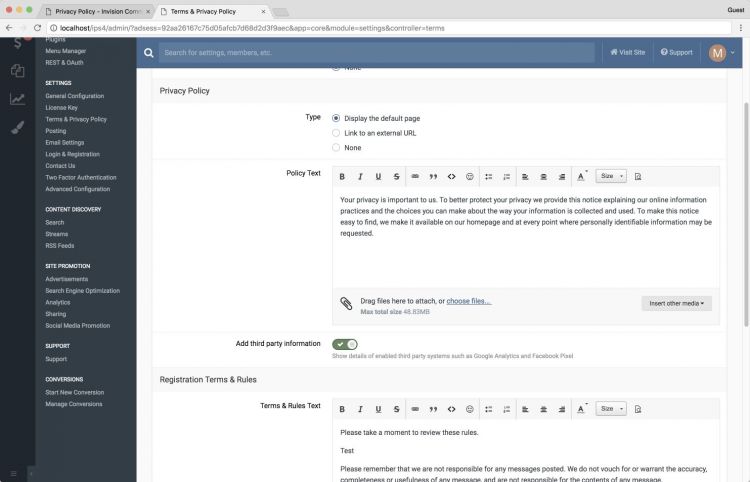
The new setting
Finding Settings Easily
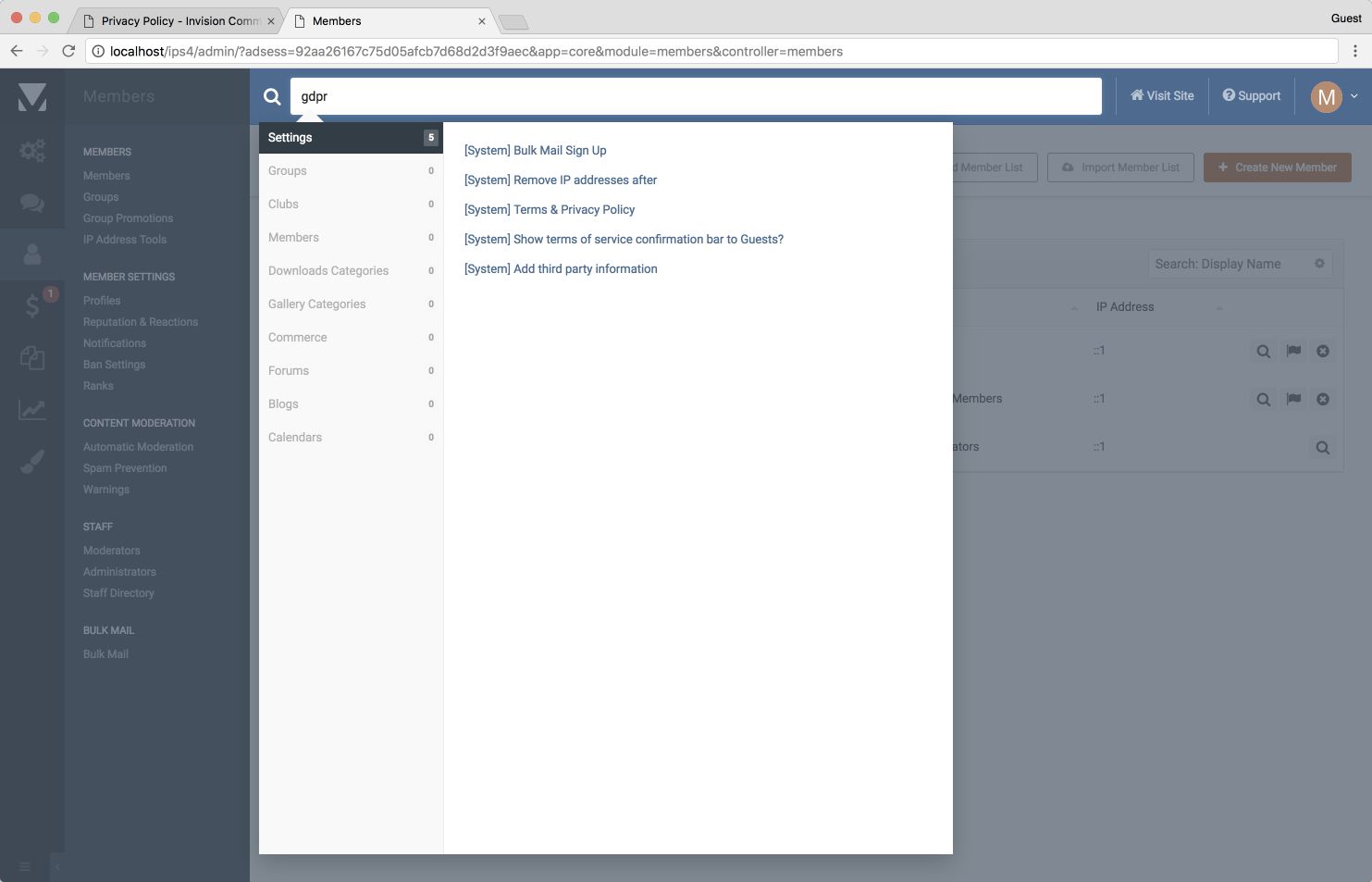
To make life a little easier, we’ve added “GDPR” as a live search keyword for the ACP. Simply tap that into the large search bar and Invision Community will list the relevant settings you may want to change.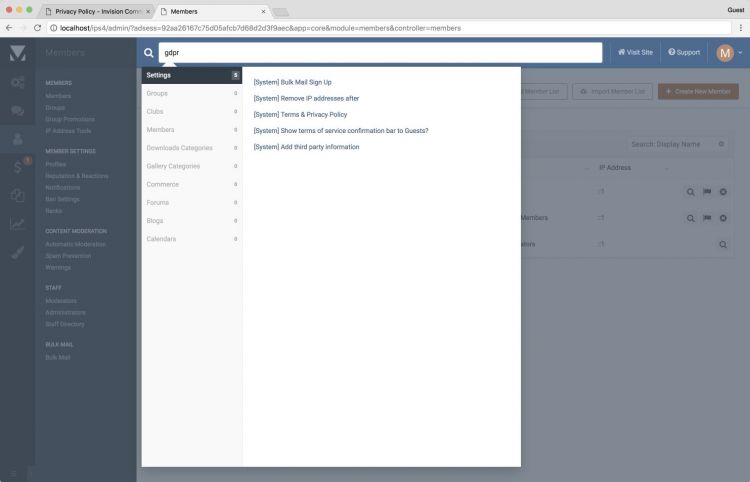
These changes show our ongoing commitment to helping you with your GDPR compliance. We’ll be watching how GDPR in practise unfolds next month and will continue to adapt where required.
24.06.2018 at 16:32 #114586BobCMemberThis reads more like “INVASION” and not Invision.
One letter makes a world of a difference.

-
AuthorPosts


- You must be logged in to reply to this topic.